
|
|

|

|
Default Font Panel The Default Font panel provides a user interface to specify font and associated text appearance settings for new text graphics. These default settings work with text boxes, these settings do not apply to Annotation text or Dimension text. Default font and appearance for Annotations and Dimensions are set with the Current button found on the corresponding parameter palettes. This palette is accessed from the on the Font Submenu found at the top of the Text main menu.
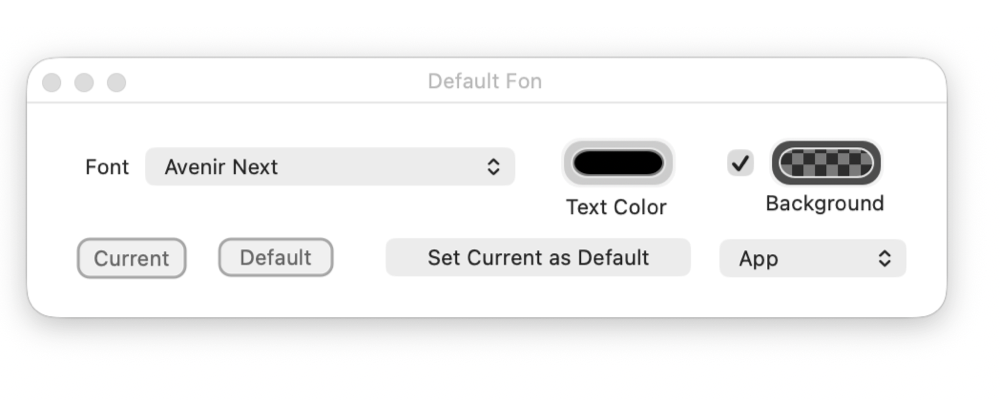
A common workflow when using the Default Font palette is to first choose the scope - App, Drawing, or Layer - depending on how broadly the defaults should apply. For example, setting the scope to Drawing allows you to establish consistent text styling for a single document without affecting other drawings Next, select the Font, Text Color, and Background Color in the Default Font palette. These settings define the initial appearance of any new text objects you create. Existing text objects are not altered. As you work, you can refine typography by selecting text directly on the drawing. All advanced attributes - such as font size, weight, alignment, spacing, and other typographic details - are taken from the selected text and edited using the standard text tools. This approach combines a simple, predictable default with full control over detailed text styling where needed. |